Ticker and Watchlist
How to search and confirm the correct ticker?
When buying stocks, it is essential to choose the primary market where the company is listed.
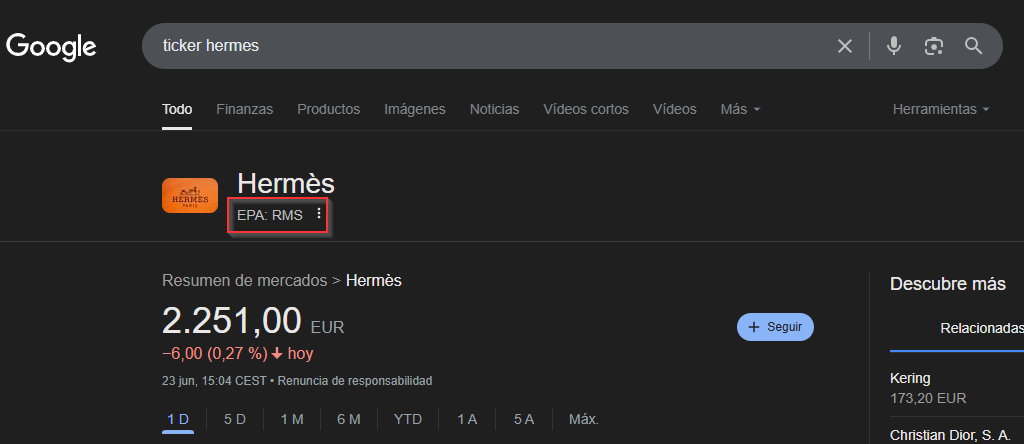
For example, to search for the Hermès ticker (French market):
- Ticker: RMS
- Market: EPA - Euronext Paris
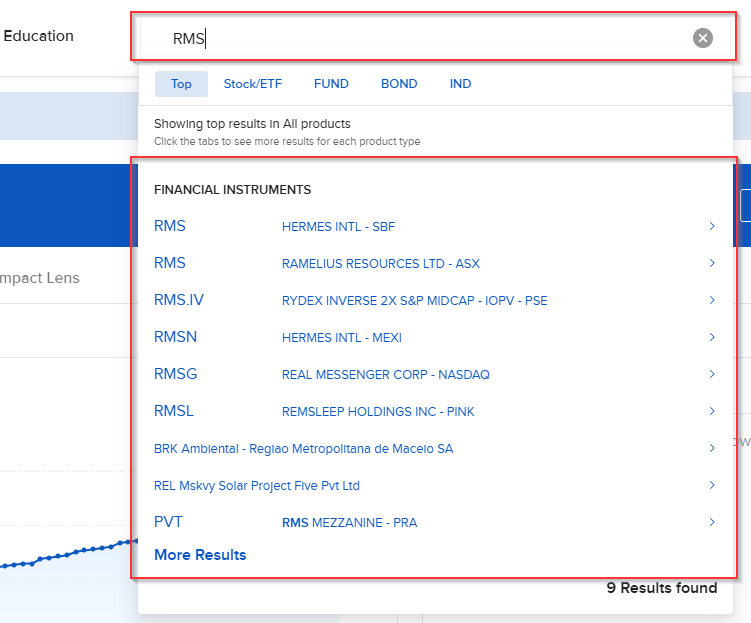
In Interactive Brokers, when searching for the ticker, it appears as being on the SBF (Société des Bourses Françaises) market, the former name of Euronext.
Note: SBF and EPA are equivalent; IBKR has not yet updated the denomination.
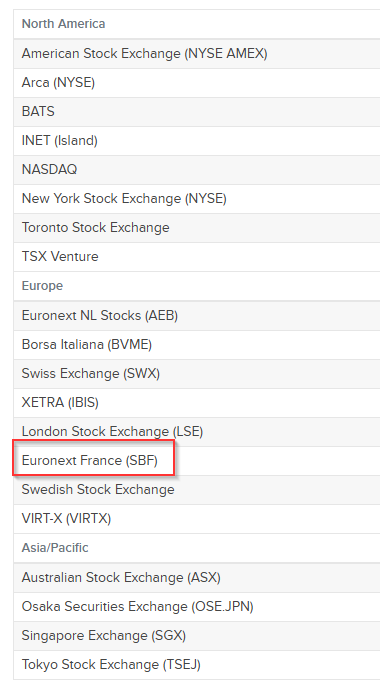
Here is an official guide (created by IBKR) on market equivalences:
How to set up the watchlist?
Watchlists are useful for organizing tickers of interest and avoiding errors.
I recommend creating at least:
- Main list: Base or core stocks of the portfolio.
- Gray list: Secondary or potentially interesting companies.
To create a list
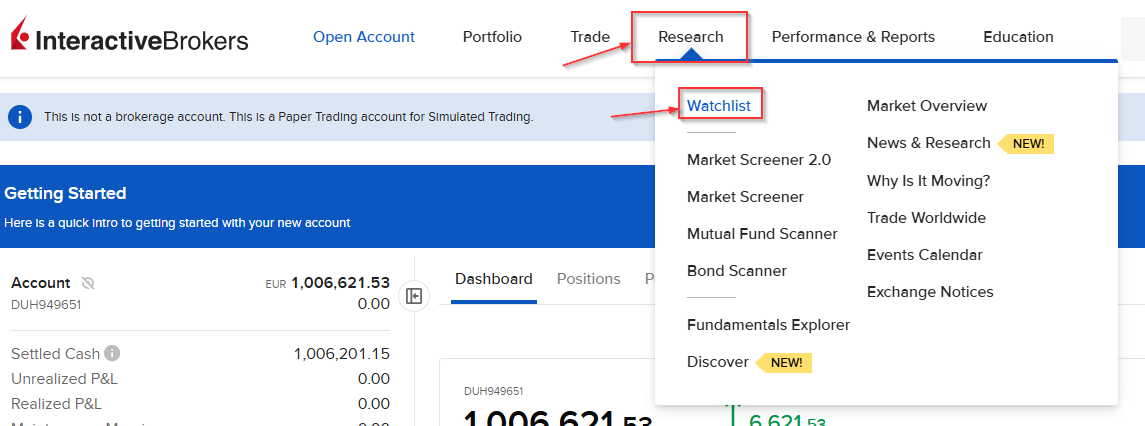
- Go to Research -> Watchlist
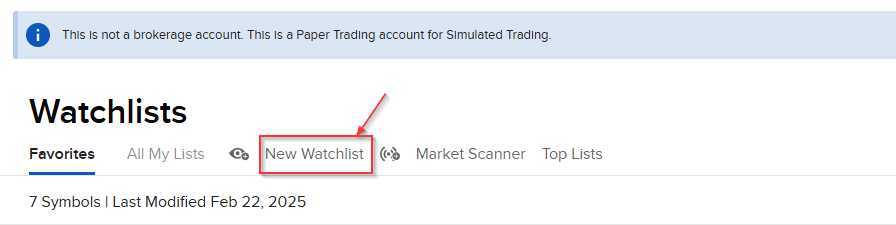
- Click on “New Watchlist”.
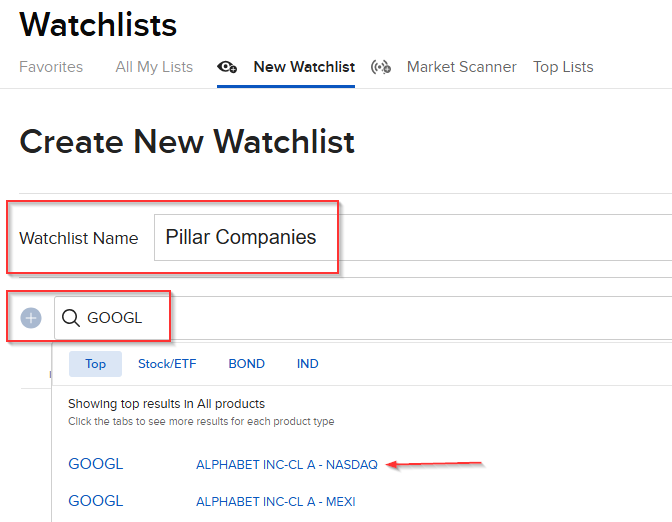
Assign a name and add the desired tickers, for example:
- Watchlist name: Core companies
- Ticker: GOOGL
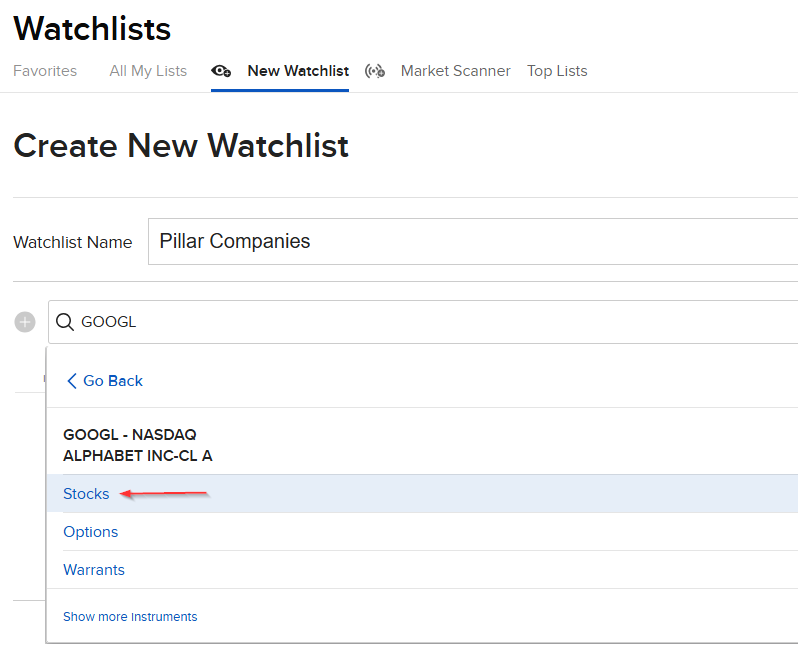
- Select the financial product (stocks, options, warrants).
- Save the list
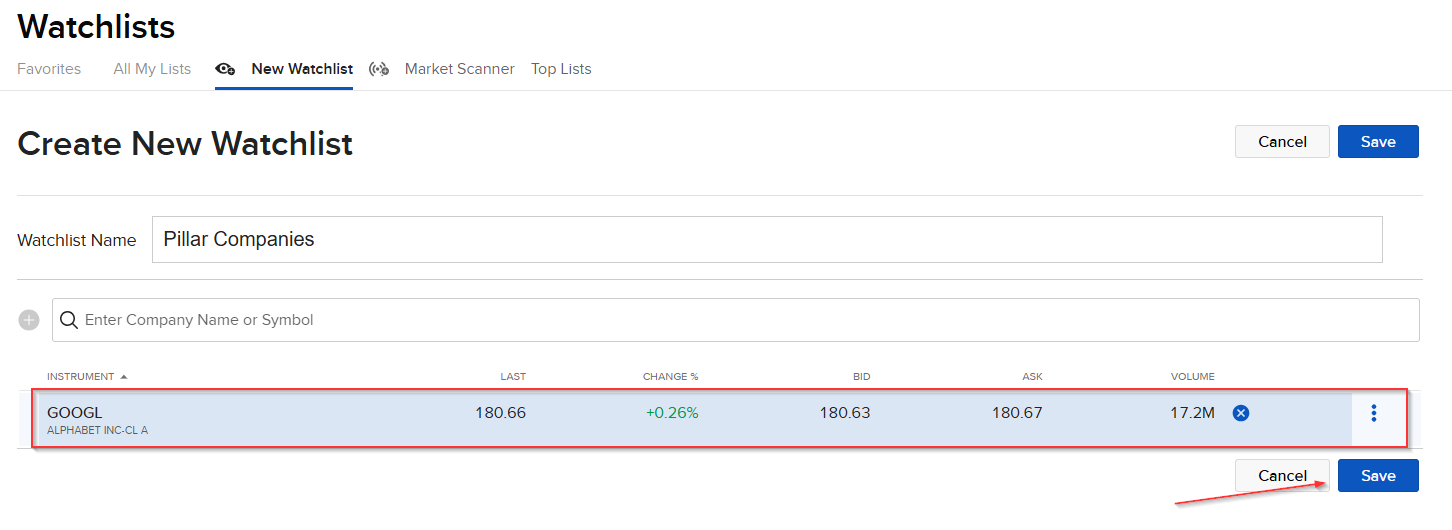
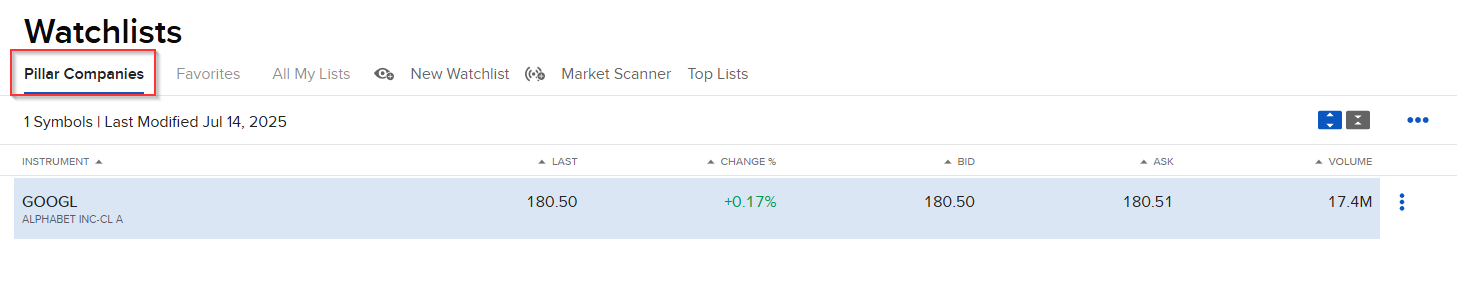
Immediately after pressing the save button, we will see that the list has been created in the main panel and we can select it.
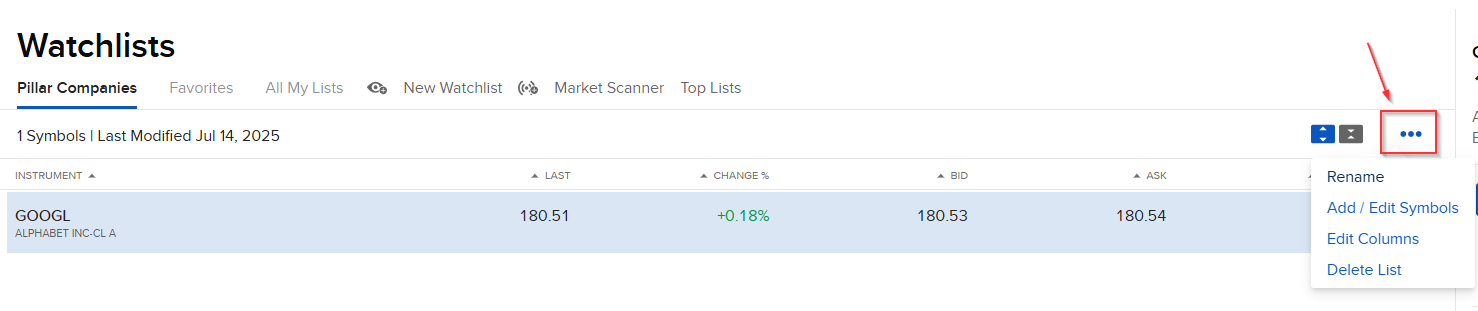
To add or remove symbols
- Click on the three horizontal dots to access configuration options.
- You can rename, add/edit symbols, edit columns or delete the list.
To buy from the watchlist
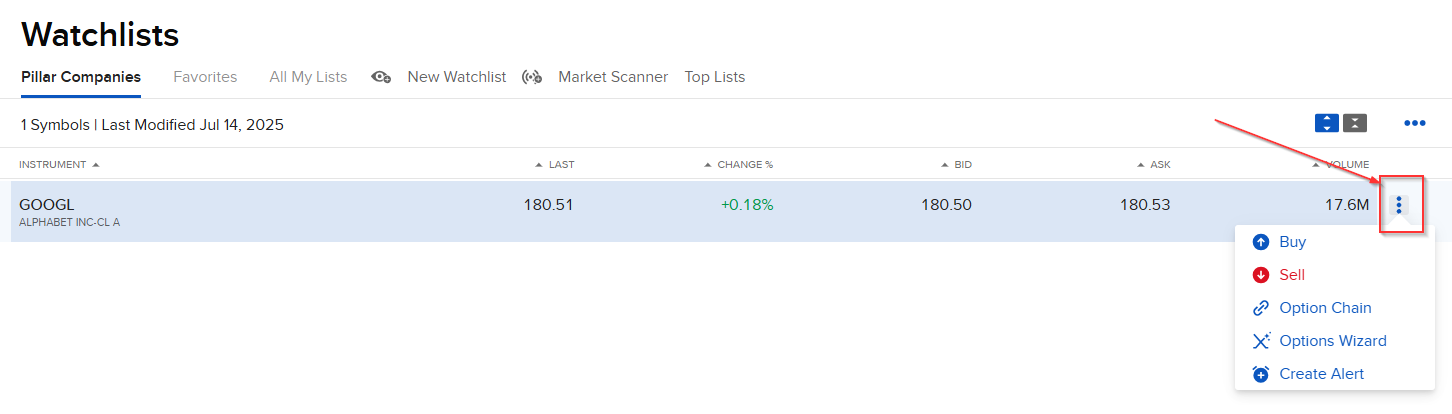
- Click on the three vertical dots next to the ticker and select the buy option.
- You can also access a chart and other options from the financial instrument.