Platform Overview
All examples below are performed in the DEMO account, which is identical to the real one in functionality.
IBKR Description – Demo Account
Link to the European page:
When accessing the page, you will see two options:
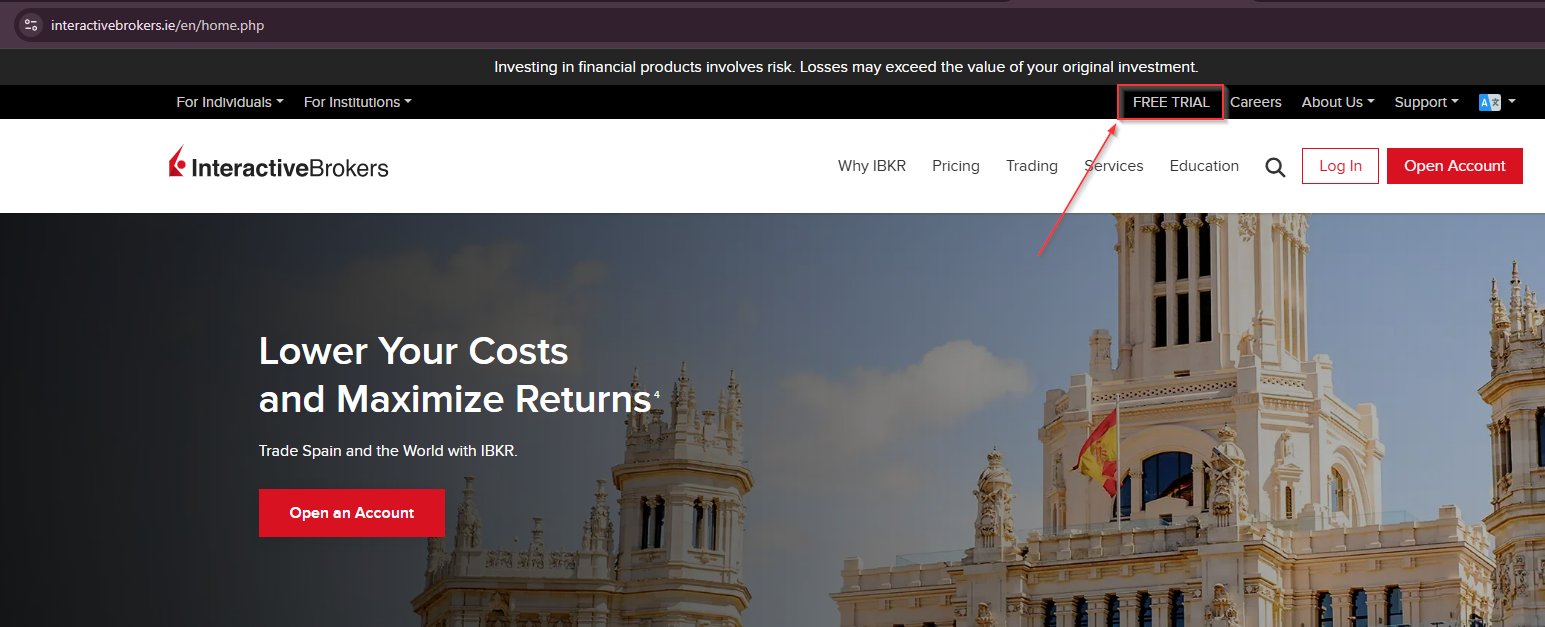
- Open a real account: requires identity document.
- Free trial: allows you to open a demo account to familiarize yourself with the platform.
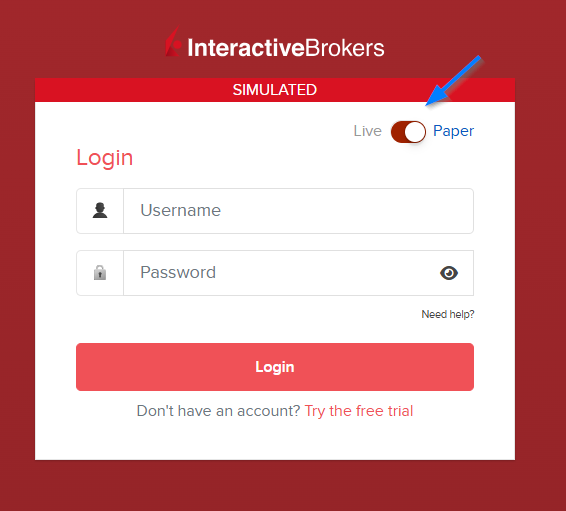
Login Link - Simulated Account
Note: Remember to select the demo account option and enter your credentials.
Once inside, you will find:
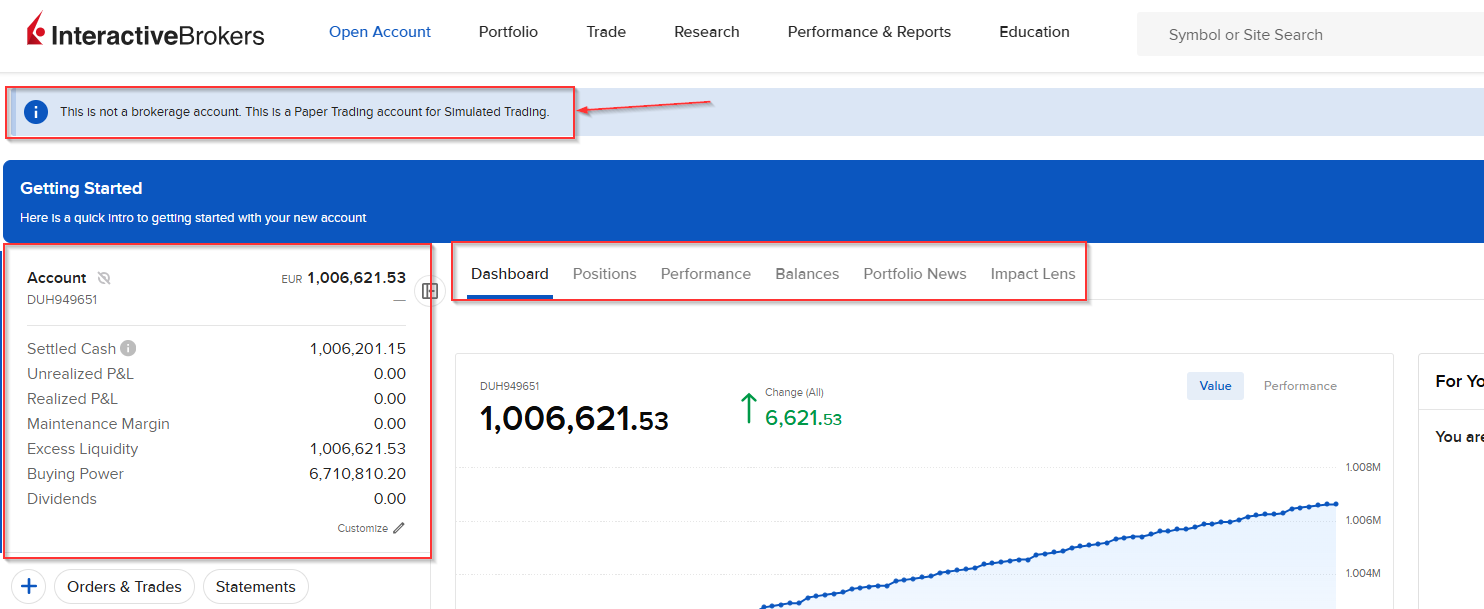
Informative message indicating that it is a demo account and the money is not real.
Account Section, with relevant information:
- Settled cash: Money available to trade.
- Unrealized P&L: Floating gains or losses (Open positions).
- Realized P&L: Gains or losses from closed positions.
- Maintenance margin: Minimum required to maintain open positions (if you use leverage).
- Excess liquidity: Money available relative to maintenance margin.
- Buying power: Maximum available to open positions (includes leverage if enabled).
- Dividends: Dividends received.
Tabs on the right (some parts are not translated to English):
- Dashboard: General account summary.
- Positions: All open positions.
- Performance: Performance with charts and data.
- Balances: Technical breakdown of balances, margins and cash.
- Portfolio News: Relevant news from your portfolio companies.
- Impact Lens: Assessment of the social/environmental impact of your investments.