How to Open Positions
There are several ways to open positions:
- From the watchlist (recommended for accuracy).
- From Trading → Order Ticket (explained below).
From Trading -> Order Ticket
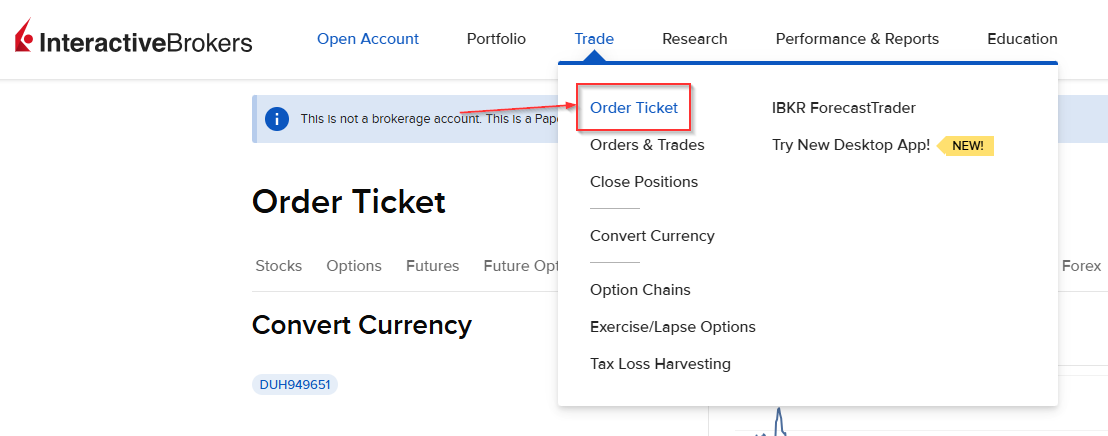
Within the order ticket, select the ticker.
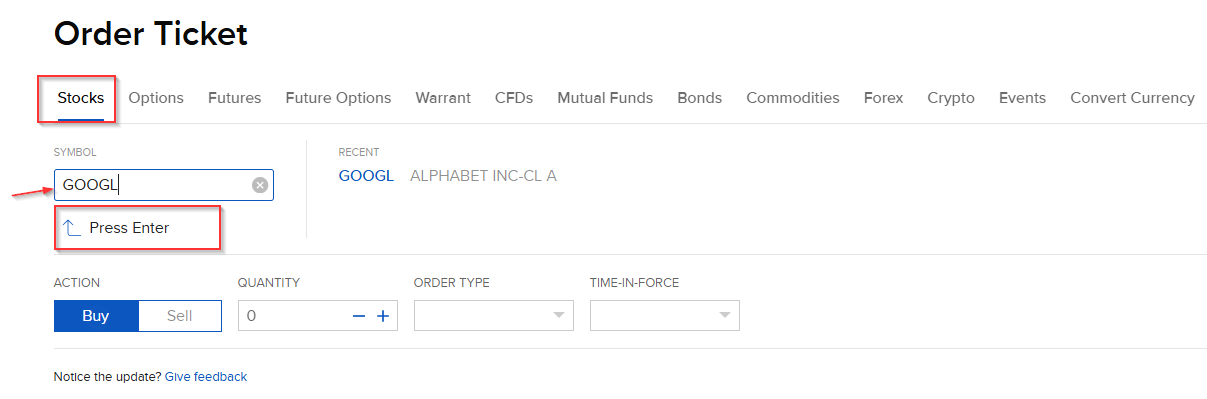
- Type: GOOGL and press Enter.
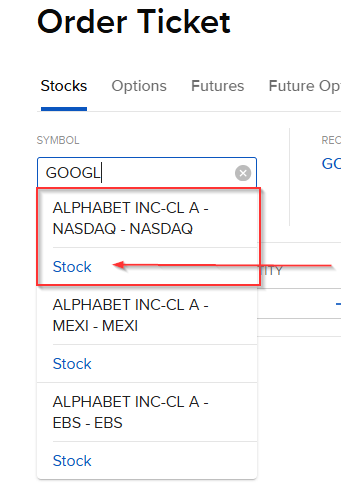
- Select NASDAQ – Stock.
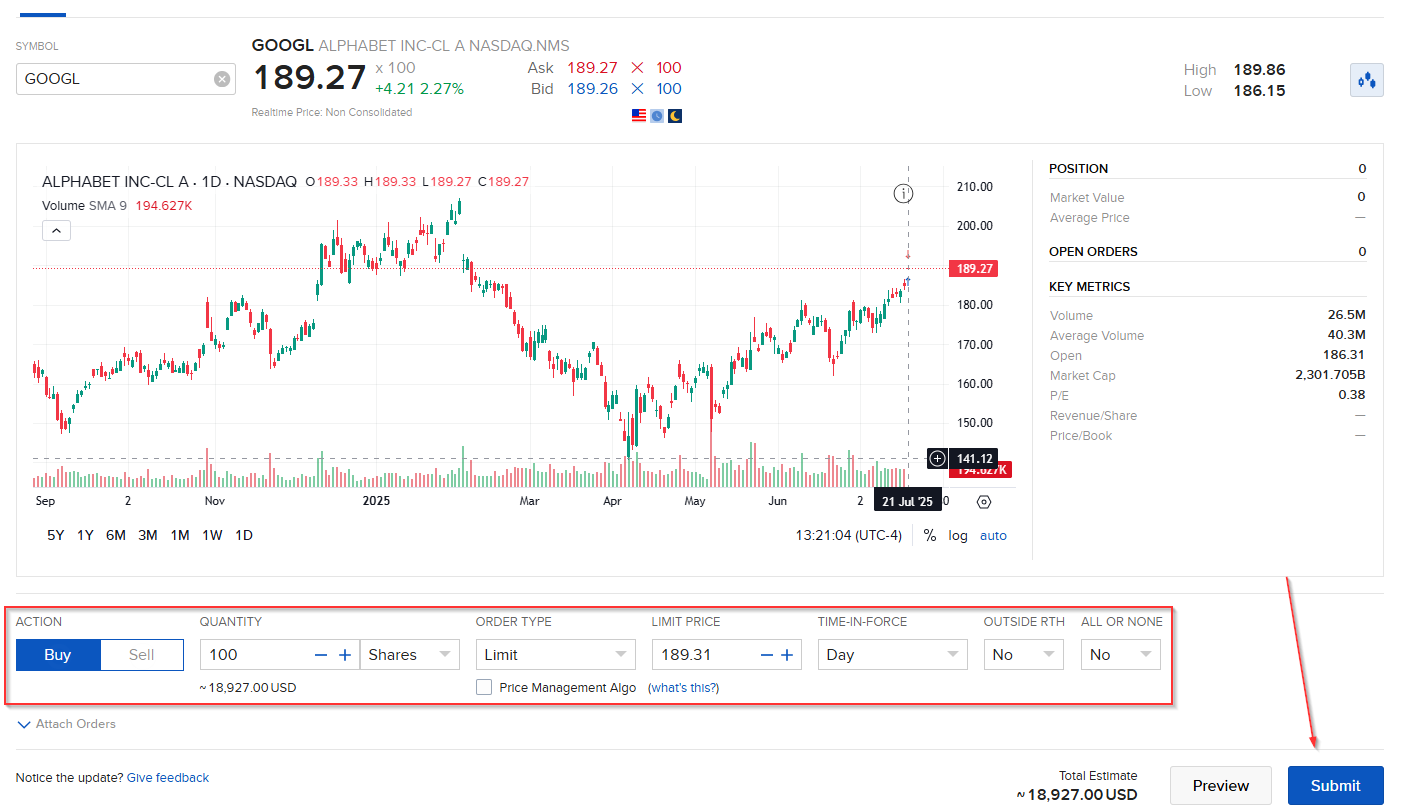
You will see the following screen, with a chart and the necessary configuration to open the order:
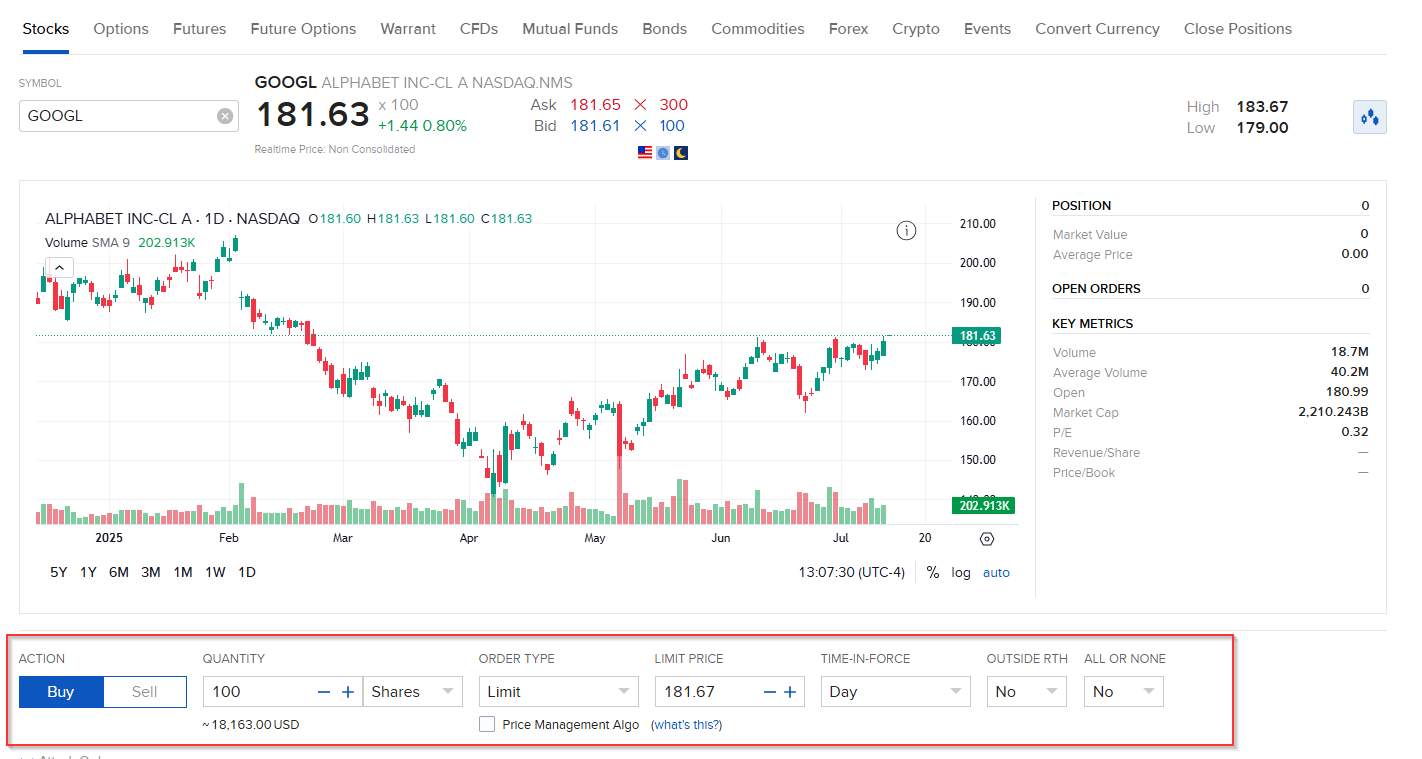
- Action: Buy or Sell
- Quantity: We can choose between:
- Shares: Purchase of whole shares (in your name) or fractional shares (in IBKR’s name).
- USD: Purchase by amount, which may generate fractional shares. Remember, these shares are not in your name but in the broker’s name, so if it goes bankrupt, the regulator will sell your fractional shares at market price. There is a risk of losing your fractional shares.
- Order type: Choose the one that best fits your strategy
Main order types
IBKR webpage that explains all the order types they provide to their clients: https://www.interactivebrokers.com/en/trading/ordertypes.php
I explain below the order types that I personally use.
Order type: Limit

Allows you to buy or sell an asset at a specific price. Prioritizes price control over immediate execution. Allows you to have full control over the maximum price (buy) or minimum price (sell).
Specific parameters:
- Limit price: price at which you want the operation to be executed.
- Time in force: time the buy or sell order will remain open.
- GTC (Good Til Canceled): Valid until canceled, usually until the company reports results. Approximate validity time 3 months.
- At the open: only executes when the market opens.
- Day: The order remains valid only during the current trading session.
- Outside RTH: Trade outside normal market hours.
- ALL_OR_NONE: All or nothing, depending on volume.
- Price management algorithm: IBKR applies automatic controls to avoid errors and manipulation. You can activate it if you consider it necessary.
Order type: MidPrice (with IBKR logo)

Seeks to execute at the midpoint between the buy price (Bid) and sell price (Ask), minimizing the spread cost.
Specific parameters:
- Limit Price
- Time in force
- ALL_OR_NONE
Order type: Market

Simple order to buy or sell at the available price at that moment. Only recommended in high liquidity situations or when speed is needed.
Parameters:
- Time in force
- ALL_OR_NONE
Practical example: how to open an order step by step
- Action: Buy
- Quantity: 100 – Shares
- Order type: Limit
- Limit Price: 184
- Time in force: Valid until canceled
- Outside RTH: No
- ALL_OR_NONE: No
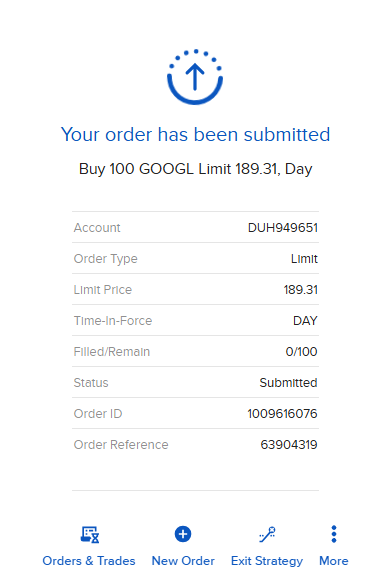
Once submitted, the order will be pending execution.
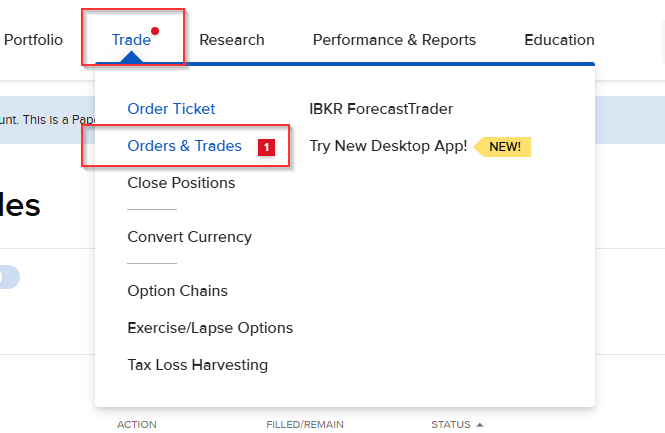
You can check the order status by accessing: Trading → Orders and Trades.
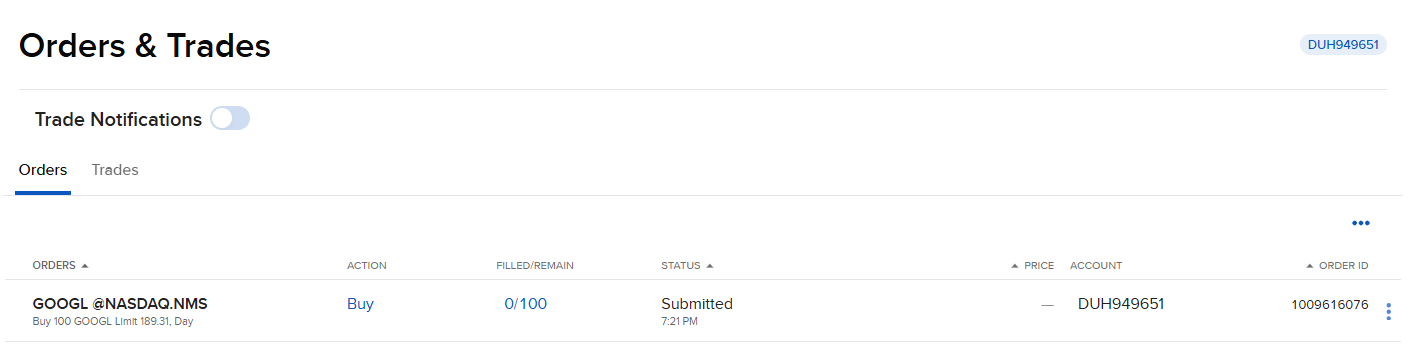
In this section you can view the newly created order and its current status.
When the order has been executed, the status will change to “Filled” – Executed or Completed:

Now that the order has been executed, you can view active positions from: Portfolio -> Positions.
Note: If you don’t see the position, try clicking “Refresh”.
