How to Close a Position
Here we have two options:
- Sell a position: allows you to select the amount of the position you want to liquidate.
- Close a position: automatically generates a sell order for the total position.
Click on the three vertical dots (from Portfolio -> Positions), you will see the options to sell or close:
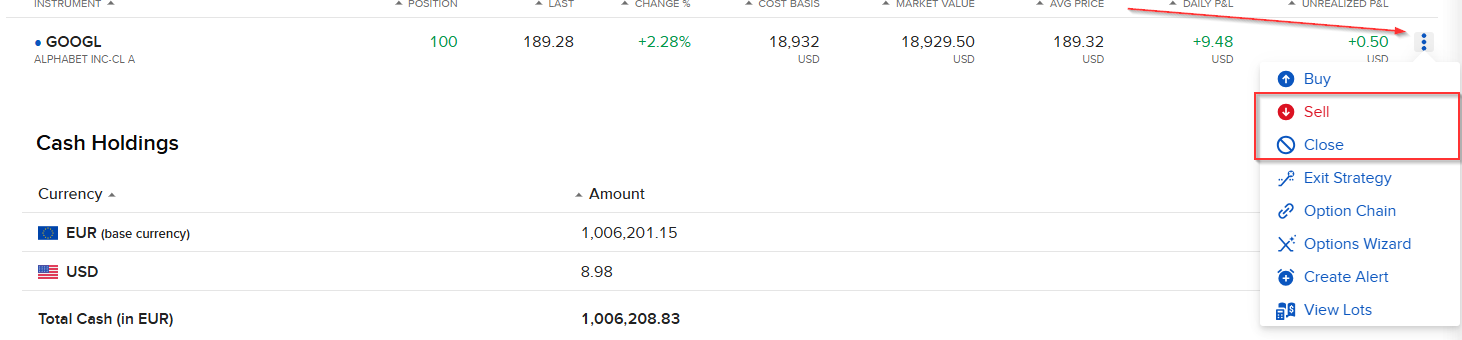
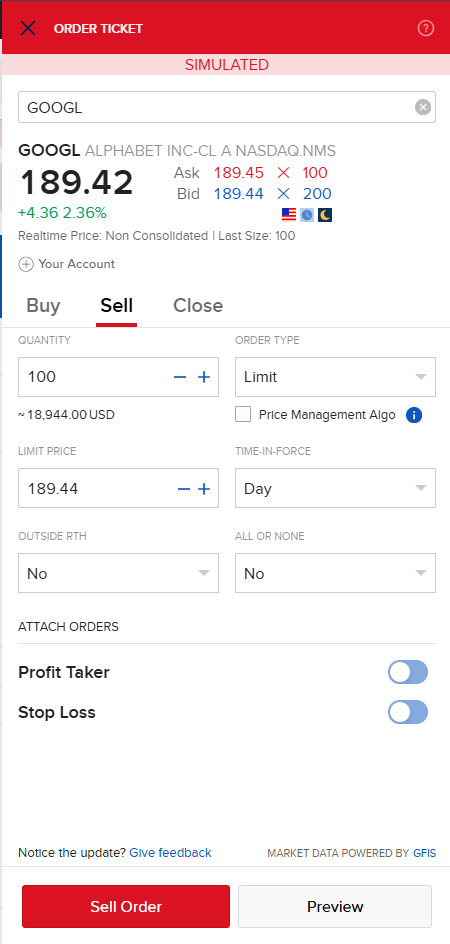
- Click on Sell, select the number of shares you want to sell. Here you are generating an order, so you have the same types: limit, market, midprice, etc. In this example the order is a limit type.
- Then click on “Sell Order”.
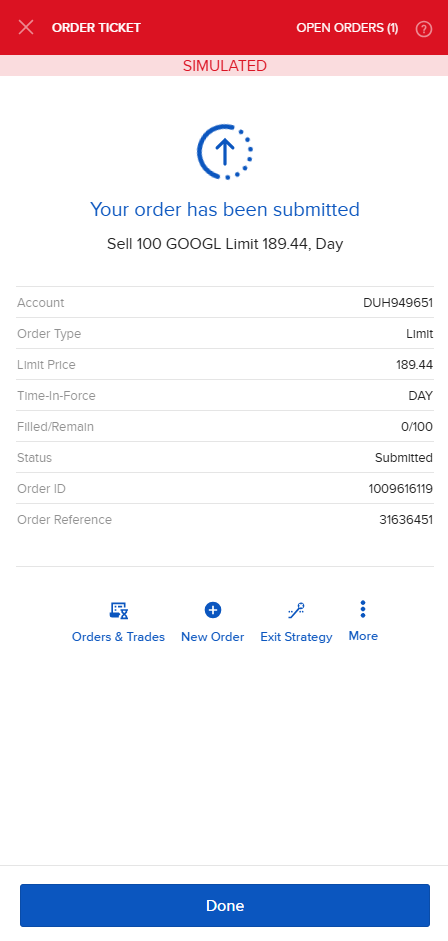
You will see the following, now you are waiting for someone willing to buy at $189.44:
Once the sell order is completed, you will see the following in Trading -> Orders and Transactions -> Trades.
Note: Only for this example, have changed the limit order to 189.29$, to find quicker a buyer
